
Rust Binary Protection: Why Compilation Alone Isn't Enough
The Rust Security Myth
Rust developers often assume their compiled binaries are hard to reverse engineer. The language compiles to native machine code through LLVM. There's no bytecode, no IL, no interpreter. Surely that's enough?
It isn't.
Open a release-mode Rust binary in Ghidra or IDA Pro. You'll find panic messages with full file paths: C:\Users\dev\project\src\license\validator.rs. You'll see string literals in cleartext: "Invalid license key", "https://api.myservice.com/v2/auth", "AES-256-GCM". You'll find demangled function names if debug symbols weren't stripped. Even without symbols, Rust's monomorphization creates distinctive function signatures that reveal the types and generics in use.
A reverse engineer doesn't need your source code. They need your strings and your control flow. Rust gives them both.
What Rust Leaves in the Binary
Panic Messages
Every unwrap(), expect(), panic!(), and array bounds check embeds a string literal with the source file path and line number. In a typical Rust application, there are hundreds of these. They create a complete map of your source tree.
thread 'main' panicked at 'license check failed', src/licensing/mod.rs:47:9
This tells the reverse engineer exactly where your license logic lives, what file it's in, and what line to look at.
You can use panic = "abort" in your Cargo.toml to reduce unwinding overhead, but the panic messages themselves remain in the binary. The #[track_caller] attribute makes this worse by embedding caller locations.
String Literals
Many Rust string literals and source-location messages remain recoverable in read-only data or metadata. The exact layout depends on compiler, optimization and how the value is constructed; never embed API keys or database credentials in a client binary.
Running strings on a Rust binary produces a goldmine of information. Endpoint URLs reveal your API surface. Error messages reveal your validation logic. Format strings reveal your data structures.
Debug Symbols and Type Info
cargo build --release doesn't strip symbols by default. You need to add strip = true to your Cargo.toml profile, or run strip on the binary after compilation. Many developers skip this step.
Even stripped, Rust's RTTI (Runtime Type Information) for trait objects and Any downcasting preserves type names. The type_name::<T>() function embeds full type paths as string literals.
Monomorphization Patterns
Rust's generics produce one concrete function per type instantiation. HashMap<String, LicenseInfo> generates functions with distinctive access patterns that reveal the key and value types. An experienced analyst can reconstruct your data model from these patterns alone.
Existing Rust Obfuscation: Why It Falls Short
litcrypt and obfustr
These are the most common Rust string obfuscation crates. Both use compile-time XOR encryption with a key embedded in the binary. The decryption routine is a simple loop that XORs each byte.
Finding the key takes minutes. Search for the XOR loop pattern, extract the key, decrypt all strings. Any reverse engineer who has seen one litcrypt binary can deobfuscate the next one automatically.
These crates also require modifying every string literal in your source code with a macro wrapper. Miss one "license" string and it's visible in plaintext.
goldberg
Goldberg provides compile-time constant obfuscation using Rust's const generics. It's clever, but limited to numeric constants and short strings. It doesn't handle the bulk of your string data, and the obfuscation patterns are predictable once identified.
The Missing Tool
There is no commercial Rust binary protection product. Legacy commercial protectors don't specifically target Rust. They work on native binaries generally, but they cost thousands of dollars per year and require manual configuration for Rust's unique binary layout.
The Rust ecosystem has no equivalent of .NET's ConfuserEx, Java's ProGuard, or even Go's Garble. If you ship a Rust binary today, you're shipping it essentially unprotected.
Post-Compilation Protection for Rust
ChaosProtector operates on compiled binaries. It doesn't care what language produced them. Your Rust binary is x86-64 machine code, and ChaosProtector transforms that machine code.
The workflow:
cargo build --release
ChaosProtectorGui.exe --console -f target/release/myapp.exe --vm --strings --imports --integrity -o myapp.protected.exe
No source changes. No proc macros. No build script modifications. No Cargo dependencies.
Code Virtualization
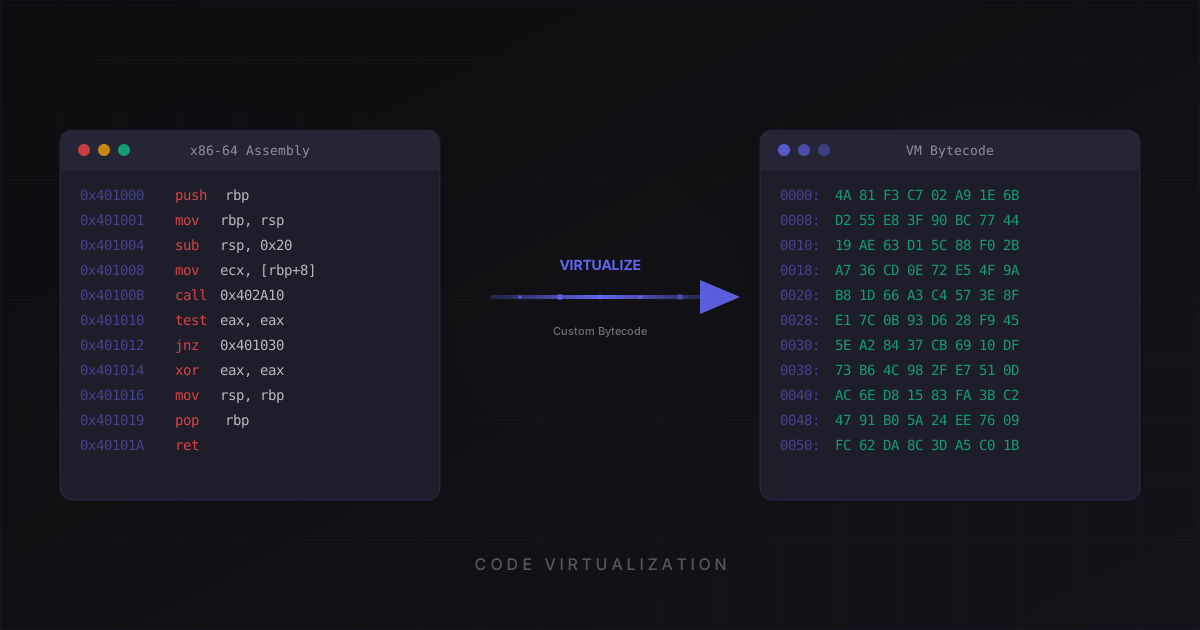
ChaosProtector can convert selected compatible functions from native x86-64 instructions into custom bytecode interpreted at runtime. The coverage report identifies functions that were virtualized and those conservatively skipped because of unsupported control flow or unwind metadata.
For virtualized functions, static tools initially see the dispatcher and VM data rather than the original native body. Analysts can still reverse the interpreter or inspect runtime behavior, so virtualization raises cost rather than making recovery impossible.
This is structurally different from a source-level XOR string macro. It generally requires VM-aware analysis, but you should not treat any client-side transform as irreversible.
String Encryption
ChaosProtector encrypts supported referenced strings in the PE image and restores them through a startup routine. Rust metadata, unsupported layouts and runtime-generated strings can remain visible.
Some panic and source-location strings may be covered when represented in a supported layout; confirm the actual result with strings and your regression tests rather than assuming complete coverage.
Import Protection
Your Rust binary calls Windows APIs through an import table. For supported layouts, ChaosProtector reduces that table to a bootstrap and restores entries through a runtime PEB-walking resolver. Bootstrap imports and runtime activity remain observable.
Anti-Debug and Integrity Checking
Base anti-debug checks detect several common debugger states; Pro adds advanced runtime checks. Integrity verifies configured regions and image invariants. Both are bypassable hardening layers, and neither blocks all static or dynamic analysis.
What to Protect
A typical Rust application has many functions. Most of them are standard library code that provides no value to a reverse engineer. Focus your protection on:
- License validation and key verification
- Proprietary algorithms (trading strategies, ML inference, compression schemes)
- API authentication and token handling
- Cryptographic operations and key derivation
- Configuration parsing that reveals your architecture
The ChaosProtector dashboard lets you pick functions from a list. The CLI accepts a function address file for automated pipelines.
Virtualized functions run slower than native code. This is the trade-off. Protect the functions that matter, leave the hot loops native. For most applications, the license check and auth flow are called once at startup. The performance impact is zero in practice.
Rust-Specific Tips
Strip before protecting. Add this to your Cargo.toml:
[profile.release]
strip = true
panic = "abort"
lto = true
codegen-units = 1
strip = true removes debug symbols. panic = "abort" eliminates unwinding code. lto = true with codegen-units = 1 enables full link-time optimization, producing smaller and more efficient code. This gives ChaosProtector a cleaner binary to work with.
Watch for #[no_mangle] exports. If you use FFI with #[no_mangle], those function names survive in the export table. ChaosProtector doesn't rename exports (that would break ABI compatibility), but it can virtualize the function body behind the exported name.
Test with your integration suite. Run your protected binary through the same tests you'd run in CI. Pay attention to panic behavior. Protected panics still work, but the file path in the message will be encrypted garbage at the string level (which is what you want).
The Bottom Line
Rust gives you memory safety, not a secrecy boundary for shipped machine code. Strings, panic metadata and function information often expose useful context to an analyst, with coverage depending on the build profile.
Source-level crates like litcrypt provide minimal speed bumps. They don't address control flow analysis, import table analysis, or dynamic debugging. They require source modifications and cover only strings.
Post-compilation protection handles everything at once. No source changes. No build system complexity. One command after cargo build.
Check the pricing page for plan details. The free tier includes string encryption and import protection. Pro adds code virtualization, anti-debug, and integrity checking.
ChaosProtector protects any Rust binary without source code changes. Build with Cargo, protect with one command. Start free.
Ready to protect your software?
Download ChaosProtector for free and start protecting your binaries in minutes.
Download Free