
.NET Code Protection in 2026: Why Most Obfuscators Fail Against dnSpy and de4dot
The .NET Decompilation Problem
Drag any .NET DLL into dnSpy or ILSpy. In five seconds you'll see perfectly readable C# source code. Variable names, string literals, class hierarchies, business logic, API keys. Everything.
This isn't a bug. It's how .NET works. The Common Intermediate Language (IL) that .NET compiles to retains far more information than native machine code. A C++ binary loses variable names and high-level structure at compile time. A .NET assembly preserves it all in metadata.
For developers shipping commercial software, Unity games, desktop applications, or on-premise deployments, this is a serious problem. Your source code is essentially delivered to every user in readable form.
Why Popular Free Obfuscators Don't Work
ConfuserEx: Abandoned Since 2018
ConfuserEx was the gold standard for free .NET obfuscation. It had string encryption, control flow obfuscation, anti-tamper, and more. But the original project was abandoned in 2018, and while community forks exist, they haven't kept pace with modern .NET.
Worse, de4dot (the open-source .NET deobfuscator) can automatically reverse ConfuserEx protection. Run de4dot protected.exe and you get clean, readable code back in seconds. The protection patterns are well-known and trivially defeated.
Obfuscar: Renaming Only
Obfuscar only performs identifier renaming. Your method names become a, b, c, but the actual code logic, string literals, and control flow remain perfectly readable. Better than nothing, but barely.
Dotfuscator Community Edition
Bundled with Visual Studio, Dotfuscator Community provides minimal renaming. It's a checkbox feature, not serious protection. The Professional edition is expensive and still vulnerable to automated deobfuscation.
The 5 Layers of Real .NET Protection
Effective code hardening is not a single technique. Layers can compound to increase analysis cost, but client-side managed code remains observable at runtime.
Layer 1: Identifier Renaming
The baseline. Rename all types, methods, fields, and properties to unreadable names. This is permanent: the original names are lost. Use Unicode characters that look identical to make it even harder to navigate.
Important: Your obfuscator must respect [System.Reflection.Obfuscation] attributes, serialization, and reflection to avoid breaking your application. Most cheap tools get this wrong.
Layer 2: String Encryption
Every "connection string", "API key", and "error message" in your code is visible in plain text to anyone with ILSpy. String encryption replaces these with encrypted blobs that are decrypted at runtime.
Without string encryption, a reverse engineer can search for "license" or "password" and immediately find your sensitive code paths.
Layer 3: Control Flow Obfuscation
Control flow obfuscation restructures your method bodies to make them impossible to follow. Simple if/else chains become complex switch dispatchers with opaque predicates. Decompilers produce code that technically compiles but is incomprehensible to humans.
This is where most free tools stop, and where automated deobfuscators like de4dot start to struggle.
Layer 4: Anti-Tampering and Anti-Debug
If someone attaches dnSpy to your running process, your application should detect it and terminate. If someone patches your assembly bytes on disk, your application should detect the modification.
Anti-tampering verifies assembly integrity at startup. Anti-debug detects debugger attachment and known reverse engineering tools. Anti-dump prevents memory dumping of your running process.
These layers don't prevent static analysis, but they make dynamic analysis (stepping through code in a debugger) extremely difficult.
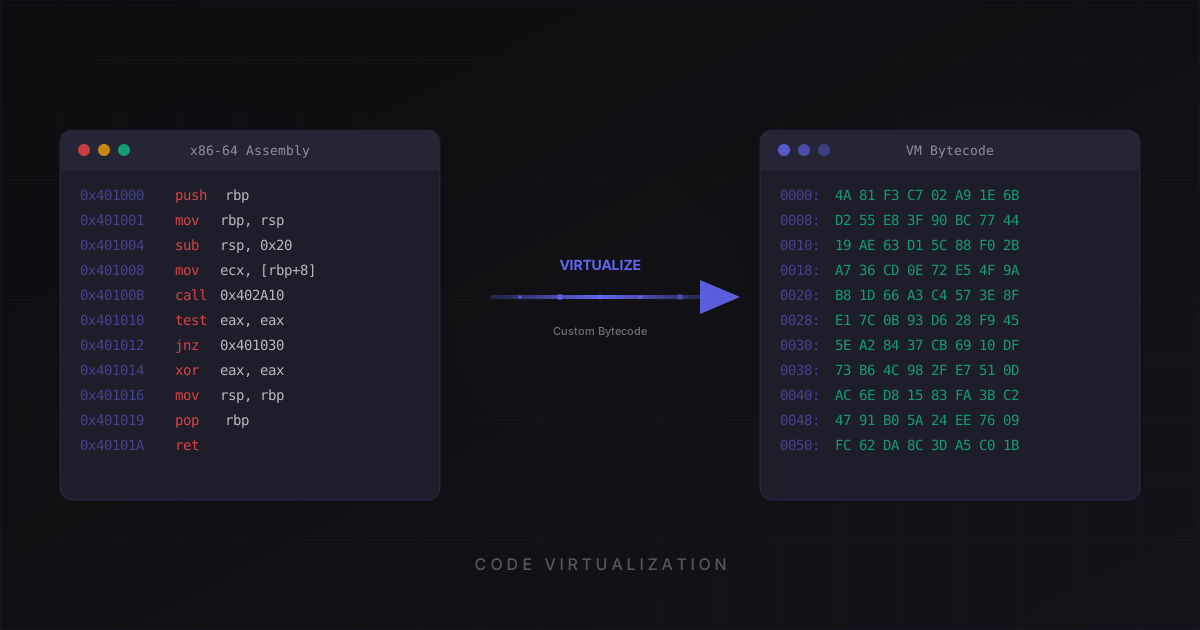
Layer 5: IL Virtualization
Virtualization is generally the most expensive layer to analyze, but automated and manual VM-aware techniques continue to evolve.
IL virtualization replaces selected method bodies with a custom bytecode plus an interpreter. Ordinary decompilers initially see the dispatcher boundary rather than the original method, but analysts can still inspect runtime behavior or reverse the VM implementation.
This is the same concept used by legacy protectors for native code, applied to .NET. It's the only technique that resists both manual analysis and automated deobfuscation.
The trade-off is performance: virtualized methods run slower because they're interpreted. The key is to virtualize selectively. Protect your license checks, cryptographic routines, and proprietary algorithms, but leave performance-critical loops unprotected.
Native AOT: Not a Silver Bullet
With .NET 8 and 9, Native AOT compilation has emerged as a popular approach: compile your .NET application to native code, eliminating IL entirely.
This sounds like it solves the decompilation problem. It doesn't.
Research by Washi has demonstrated that metadata can be recovered from AOT binaries. The type system, method signatures, and string literals are still present, just in a different format. Tools will catch up.
Native AOT is useful for performance and deployment simplicity, but it's not a substitute for obfuscation. The best approach is AOT + obfuscation together: obfuscate your assembly first, then compile to native code. You get both the benefits of AOT deployment and the protection of obfuscation.
Protecting Unity Games
Unity developers face a unique challenge. IL2CPP compiles C# to C++, but Il2CppDumper can extract complete type information from global-metadata.dat, reconstructing class names, method signatures, and string literals.
Mono-based Unity builds are even worse. They ship standard .NET assemblies that decompile perfectly.
The solution is multi-layered: obfuscate your assemblies before the Unity build, use IL2CPP for the additional native code layer, and implement server-side validation for anything security-critical (license checks, in-app purchases, anti-cheat).
How to Choose a .NET Obfuscator in 2026
When evaluating tools, check these boxes:
Compatibility: Does it support .NET 8, .NET 9, and .NET 10? ASP.NET Core? Blazor? MAUI? Many tools only support .NET Framework and silently break on modern runtimes.
de4dot resistance: Can the protection survive automated deobfuscation? If de4dot can strip it, it's not real protection.
String encryption: Non-negotiable. Your literals must be encrypted.
IL virtualization: The only technique that provides strong protection against both manual and automated analysis.
Stack trace mapping: After obfuscation, your production crash reports will contain obfuscated names. A good tool generates a .map file that lets you decode stack traces back to original names.
[Obfuscation] attribute support: You need to exclude specific types and methods from protection for reflection, serialization, dependency injection, and third-party library compatibility.
CI/CD integration: A CLI tool that integrates into your build pipeline, not just a GUI.
Getting Started
The most important thing is to start now. Every day your application ships unprotected is a day your source code is available to anyone with ILSpy.
Begin with string encryption and renaming. These are low-risk and high-impact. Then add control flow obfuscation and anti-tampering. Once you're comfortable, apply IL virtualization to your most sensitive methods.
Test after every protection step. Run your full test suite on the protected assembly. Pay attention to reflection-heavy code, serialization, and dependency injection. These are the most common breakage points.
Selective protection is the key. You don't need to virtualize every method. Protect what matters, leave the rest fast.
This article is general guidance for evaluating managed-code protection. The current ChaosProtector download protects native Windows PE binaries, Godot exports, and native Linux ELF64 binaries; it does not currently include a managed .NET protector.
Ready to protect your software?
Download ChaosProtector for free and start protecting your binaries in minutes.
Download Free