
Protecting Python Executables: Packaging, Compilation, and Native Hardening
The Python Protection Problem
Python is interpreted. Your source code runs directly, which means shipping a Python application means shipping your source code. Every tool in the Python ecosystem that creates .exe files is working around this fundamental limitation.
Each approach solves a different problem. None makes client-side Python logic secret against a determined local analyst.
If you distribute a Python desktop app, a CLI tool, a trading bot, or any on-premise software, your intellectual property is at risk the moment the .exe leaves your build server.
PyInstaller: Not Protection, Just Packaging
PyInstaller bundles your Python script, its dependencies, and a Python interpreter into a single .exe file. It's the most popular deployment tool for Python applications. It is not a protection tool.
PyInstaller creates a self-extracting archive. At runtime, it unpacks everything to a temp directory and runs your Python code normally. The .pyc bytecode files are sitting right there in the archive.
pyinstxtractor extracts everything from a PyInstaller bundle in one command:
python pyinstxtractor.py myapp.exe
The result commonly includes recoverable .pyc files. Depending on the Python version and constructs used, tools such as uncompyle6 or decompyle3 may reconstruct substantial high-level structure.
PyInstaller with --key flag adds AES encryption to the .pyc files. The decryption key is embedded in the binary's bootloader. Extract the key, decrypt the files. pyinstxtractor handles this automatically.
Python-layer obfuscation: a different tradeoff
PyArmor operates at the Python bytecode/runtime layer. Its compatibility and resistance change across releases, so evaluate the exact version against your application and threat model. Like every offline client-side scheme, the runtime must eventually execute the protected logic locally; this raises analysis cost but does not create a secrecy boundary.
The Windows Defender Problem
Any obfuscator, packer or binary rewriter can affect antivirus reputation and heuristic scoring. Results depend on the exact build, signature, distribution reputation and AV engine version. Test every final signed release instead of relying on a blanket compatibility claim.
Cython: Partial Solution
Cython compiles Python to C extension modules (.pyd files). The resulting binaries are native code, harder to reverse engineer than .pyc bytecode. Some developers use Cython as their protection strategy.
The problems: Cython doesn't compile all Python code. Async/await, complex generators, and many dynamic Python patterns require fallback to standard Python. You end up with a mix of compiled .pyd files and unprotected .pyc files. An attacker focuses on the .pyc files.
String literals in Cython-compiled code are still readable. "Invalid license", "API endpoint", and "SELECT * FROM users" appear in the .pyd binary in plain text. The control flow is harder to follow than Python bytecode, but experienced reverse engineers handle C-compiled code daily.
Nuitka: The Right Foundation
Nuitka compiles Python through C and can produce native executables plus their required runtime/dependencies. The exact standalone or onefile layout depends on the project and Nuitka version.
python -m nuitka --standalone --onefile myapp.py
This changes the analysis target from an ordinary PyInstaller bytecode archive to native code. It removes the straightforward .pyc workflow for compiled modules, but the resulting machine code, constants and runtime behavior are still analyzable.
Nuitka is the best first step for Python protection. But it's not the last step.
What Nuitka Doesn't Hide
Nuitka compiles Python to C, then compiles C to native code. The native code is standard x86-64 that IDA Pro and Ghidra handle perfectly well.
String literals remain readable. Every "password", "license_key", and "https://api.example.com" in your Python code becomes a string constant in the compiled binary. Running strings on a Nuitka binary reveals all of them.
Function structure is visible. Nuitka preserves Python's function structure as C functions. The names are mangled, but the call graph, branching logic, and data flow are all there. A reverse engineer can follow your license validation step by step.
Python C API calls reveal intent. Nuitka-compiled code calls CPython API functions like PyDict_GetItem, PyList_Append, PyLong_AsLong. These calls tell the analyst what Python types you're using and what operations you're performing. It's not source code, but it's far from opaque.
The Two-Step Solution
A practical layered workflow is to compile with Nuitka, then evaluate native hardening on the resulting PE.
python -m nuitka --standalone --onefile myapp.py
ChaosProtectorGui.exe --console -f myapp.exe --vm --strings --imports --integrity -o myapp.protected.exe
Step one changes the program into a native deployment. Step two hardens supported parts of that native binary.
What ChaosProtector Adds
String encryption. Supported referenced strings can be encrypted in the native image and restored at startup. Unsupported layouts and runtime-created values may remain visible; credentials and decisive secrets still belong on a server.
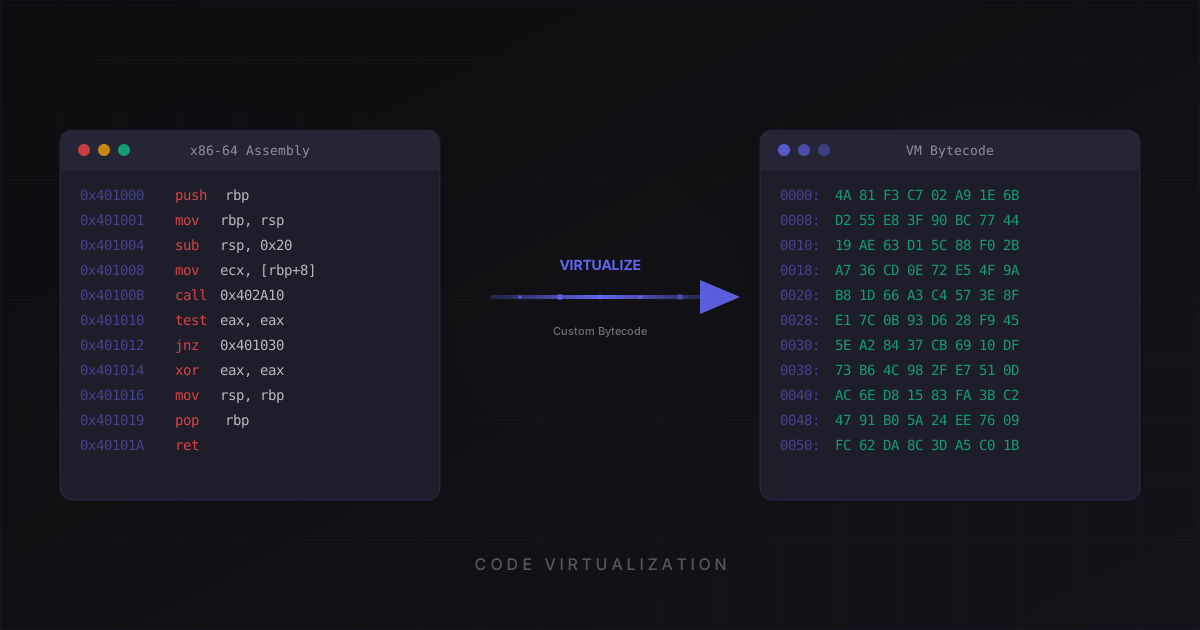
Code virtualization. Selected compatible functions are converted from native instructions into ChaosProtector VM bytecode. Functions whose control-flow or unwind semantics cannot be preserved are reported and skipped.
Import protection. Supported imports are reduced to a bootstrap and restored by a runtime resolver. Required bootstrap imports and runtime activity remain observable.
Anti-debug. Free includes base debugger-state checks. Pro adds more invasive hook, anti-dump and instrumentation checks. All client-side checks remain bypassable with enough effort.
Integrity checking. Basic checks configured code regions and image invariants; Pro extends coverage to additional safe regions. Only covered modifications are detected.
Antivirus compatibility must be tested
ChaosProtector rewrites PE files and some optional protections deliberately use anti-analysis patterns. Either fact can trigger heuristics. Authenticode-sign the final file, submit false positives through vendor channels when necessary, and test the exact release with the security products used by your customers.
Practical Walkthrough
Here's the complete pipeline for a Python application:
1. Compile with Nuitka
pip install nuitka
python -m nuitka --standalone --onefile --windows-console-mode=disable myapp.py
Test the Nuitka output thoroughly. Make sure every feature works. Nuitka compilation occasionally changes behavior for highly dynamic code (eval, exec, dynamic imports).
2. Protect with ChaosProtector
Upload the binary to the ChaosProtector dashboard or use the CLI:
ChaosProtectorGui.exe --console -f myapp.exe --vm --strings --imports --integrity -o myapp.protected.exe
The example requests Basic features explicitly. The native tier policy strips unavailable flags and reports the effective feature set.
3. Test the protected binary
Run it on a clean machine. Verify all features work. Pay attention to startup time (virtualized functions add a few milliseconds) and any network calls (import protection resolves DLLs at runtime, which is transparent but worth testing).
4. Ship it
Ship the protected executable with the same private dependencies and data files required by the tested native build. The optional Basic/Pro --bundle workflow can package an EXE and selected dependencies, but it materializes plaintext files on disk at runtime and is not an in-memory VFS.
What About py2exe and cx_Freeze?
Same story as PyInstaller. They bundle .pyc files into an archive. The extraction tools work on all of them. py2exe bundles are extracted with unpy2exe. cx_Freeze bundles are standard zip archives.
None of these packaging tools provide protection. They're deployment tools. Use them if you need them for packaging, but don't confuse packaging with protection.
Choosing the Right Protection Level
Not every Python application needs full virtualization. Here's a guide:
Free tier: Base obfuscation, import protection, base anti-debugging and anti-disassembly for evaluating compatibility. String encryption and VM virtualization start at Basic. See pricing.
Basic and Pro: Basic adds VM virtualization, string encryption, integrity, CFF and the single-file bundler. Pro adds advanced runtime checks. Choose based on tested compatibility and threat model, not a promise that reverse engineering is impossible.
Start with Nuitka compilation alone and see what strings reveals. If the output concerns you, add ChaosProtector.
Compile with Nuitka. Protect with ChaosProtector. Ship with confidence. Try it free.
Ready to protect your software?
Download ChaosProtector for free and start protecting your binaries in minutes.
Download Free