
How Crackers Steal Your Godot Game in Under 60 Seconds (And How to Stop Them)
Your Godot Game Is Completely Exposed
If you've ever exported a Godot game and thought "my assets are safe because I enabled PCK encryption," you're in for a bad surprise.
Godot's built-in encryption uses AES-256, which is a strong algorithm. The problem isn't the algorithm. The problem is where the key is stored.
The encryption key sits as a static 32-byte blob in the .data section of your executable. It's not obfuscated. It's not derived at runtime. It's just sitting there, in plain bytes, waiting to be read.
And there are free, open-source tools that read it automatically.
How the Attack Works
Here's what a cracker does to your Godot game. The entire process takes under 60 seconds.
Step 1: Extract the AES Key (50 milliseconds)
A tool called KeyDot extracts your encryption key in under 50 milliseconds. Not minutes. Not seconds. Milliseconds.
Here's what it does internally:
- Opens your .exe and locates the
.rdatasection - Searches for a specific error message that Godot always includes in the binary
- Follows the instruction that references that error message
- Reads 32 bytes from the nearby memory location
That's it. Your key is extracted. KeyDot outputs it in hex format, ready to use.
A second tool, gdke, does the same thing but with a GUI. Point it at your .exe, click a button, and the key is displayed on screen.
A third tool, Godot-AES-key-extractor, takes a brute-force approach. It disassembles your entire .text section, finds every instruction that loads data from the .data section, and presents all 32-byte candidates. Your key is one of them.
Step 2: Recover the Entire Project (10 seconds)
Once the cracker has your key, they open GDRE Tools, the most popular Godot reverse engineering tool with over 3,300 GitHub stars.
They drag your .exe into GDRE Tools, paste the key, and click "Full Recovery."
GDRE Tools outputs:
- Every GDScript file with original variable names, function names, and comments
- Every scene file (.tscn) with complete node hierarchies
- Every texture, audio file, and shader converted back to standard formats
- The complete project.godot configuration file
Your game is now an editable Godot project. The cracker can modify it, rebrand it, and re-export it as their own.
Step 3: The Damage
Real examples of what happens:
- Game cloning: A developer on itch.io reported their game was stolen, reskinned, and re-uploaded within days of release
- Asset theft: Models, textures, and music extracted and sold on asset marketplaces
- Cheat development: Game logic exposed, making it trivial to build hacks for multiplayer games
- License violation: Some asset store licenses legally require developers to protect their assets. If they're trivially extractable, you're in breach
Why Godot's Built-in Encryption Doesn't Work
Godot offers PCK encryption as a checkbox in the export settings. You set a key, enable encryption, and your PCK file is encrypted with AES-256.
The encryption itself is fine. AES-256 is unbreakable.
But the key management is fundamentally broken.
To use PCK encryption, you must compile a custom export template with your key baked in at compile time. The key becomes a static byte array in the binary's .data section. There is no obfuscation, no key derivation, no runtime computation. The key is stored in the clear.
This is not a Godot bug. It's a design limitation. The engine needs the key at runtime to decrypt resources, and the simplest way to make it available is to compile it into the binary.
The Godot core team has been aware of this for years. Proposal #4220 (obfuscate GDScript in production export) has 195 upvotes. Issue #19790 (protect game resources) has been open since 2018. A pull request to allow custom encryption keys via GDExtension has been proposed but not merged.
What Existing "Solutions" Actually Do
GDMaim (GDScript Obfuscator)
GDMaim renames your GDScript variables and functions to random strings. It's the most popular protection tool for Godot with 933 GitHub stars.
What it does: func validate_license() becomes func a8f3b2()
What it doesn't do: It doesn't encrypt anything. It doesn't protect assets. It doesn't hide the AES key. A cracker still recovers your full project; the code is just harder to read.
Also, GDMaim breaks if you use call(), set(), get(), or RPC calls with string-based function names. Many real projects hit these limitations.
Godot-Secure
Godot-Secure modifies the Godot source code to add stronger encryption before you compile.
The catch: You must compile the entire Godot engine from source. This takes 30-60 minutes, requires a full C++ build toolchain, and makes your game incompatible with standard export templates. Every engine update requires recompilation.
Most indie developers don't have the toolchain or patience for this.
Built-in PCK Encryption
As explained above: the key is in the binary, extractable in 50ms.
How to Actually Protect Your Godot Game
The practical goal is to remove easy static-extraction paths and protect the files you distribute. No client-side scheme can make runtime keys or assets impossible for a determined same-user observer to recover.
ChaosProtector is a post-build tool with separate EXE-hardening and PCK-encryption choices:
# Harden the EXE and leave the PCK unchanged
ChaosProtectorGui.exe --console -f mygame.exe --godot

# Godot 4.2+ Windows x86-64: encrypt an embedded, unencrypted PCK
ChaosProtectorGui.exe --console -f mygame.exe --godot --godot-pck-encrypt
Plain --godot automatically detects supported Windows Godot 3 and 4 binaries, hardens the EXE, and preserves the PCK. The dedicated --godot-pck-encrypt option has narrower requirements: Godot 4.2 or newer, Windows x86-64, and an embedded PCK with Godot's built-in encryption disabled. It adds encrypted-PCK packaging and emits a companion loader. At launch, that loader decrypts and materializes a temporary .pck on disk, then removes it best-effort on a clean exit. It is not an in-memory loader or virtual filesystem, and a crash, force-kill, or same-user observer can expose the temporary pack.
What Changed in the Documented Regression Fixture
Without ChaosProtector, KeyDot finds your key by searching for a specific error string in the binary and following nearby instructions.
In the documented Godot 4.6.1 fixture and tool versions listed below:
- The tested string anchors were not found by the documented extractor scans after string protection
- The tested instruction-pattern scan did not identify the key in the protected fixture
- Anti-analysis sequences changed the tested static-analysis workflow; results can differ with another tool or version
- Anti-debug checks targeted common debugger and memory-scanner paths; they are layers, not a guarantee against dynamic analysis
- The integrity check covered the configured code regions; it does not imply that every possible patch is detected
- Protected imports were resolved at runtime, reducing useful API names and cross-references in the tested static view
What Stays the Same for the Player
Plain --godot needs no engine recompilation, code changes, or GDExtension and leaves the PCK unchanged. The opt-in encrypted-PCK mode is limited to Godot 4.2+ Windows x86-64 exports with an embedded, unencrypted PCK. It still needs no engine rebuild, but you must ship the generated bin/chaos_loader.windows.x86_64.dll and preserve the generated directory layout. Test startup and cleanup on every supported target because this mode temporarily materializes the decrypted PCK on disk.
The Numbers
The documented regression suite tested ChaosProtector against these tool versions and patterns:
| Tool | What It Does | Result |
|---|---|---|
| KeyDot v1.0.3 | Extracts AES key via string anchor + LEA pattern | Did not locate the key in the fixture |
| gdke v0.2.3 | GUI-based key extraction | Did not locate the tested anchor strings |
| GDRE Tools v2.4.0 | Full project recovery from PCK | Could not parse the shipped protected PCK |
| Godot-AES-key-extractor pattern | Brute-force LEA scan of .text section | No key identified in the documented scan |
These results were recorded on a Godot 4.6.1 Windows x86-64 game binary (100MB EXE, embedded unencrypted PCK before protection). They apply only to that fixture and the listed tool versions or scan patterns; repeat them on each production build.
Getting Started
1. Export Your Game Normally
Use the Godot editor to export your game for Windows. For plain --godot, supported Godot 3 and 4 exports can use either embedded or separate PCK output, and the pack is preserved. For ChaosProtector's opt-in PCK encryption, export Godot 4.2 or newer for Windows x86-64, enable Embed PCK, and leave Godot's built-in PCK encryption disabled.
2. Run ChaosProtector
# EXE hardening only
ChaosProtectorGui.exe --console -f mygame.exe --godot

# Godot 4.2+ Windows x86-64: EXE hardening plus encrypted shipped PCK
ChaosProtectorGui.exe --console -f mygame.exe --godot --godot-pck-encrypt
Both modes produce mygame.protected.exe. For a compatible Godot 4.2+ Windows x86-64 export, the opt-in PCK mode also produces a companion bin/chaos_loader.windows.x86_64.dll; ship the complete generated layout.
3. Ship It
For plain --godot, replace the original executable and keep the preserved sidecar .pck beside it when your export uses one. For --godot-pck-encrypt, ship the generated protected executable and companion loader layout. The encrypted shipped pack is materialized as a temporary decrypted .pck on disk at runtime and removed best-effort on clean exit; this is not an in-memory VFS or a boundary against a same-user runtime observer.
Advanced: Protect Specific Functions
If your game uses a GDExtension (C++ native code), you can protect the DLL with full virtualization:
ChaosProtectorGui.exe --console -f my_extension.dll --vm --strings --imports --integrity
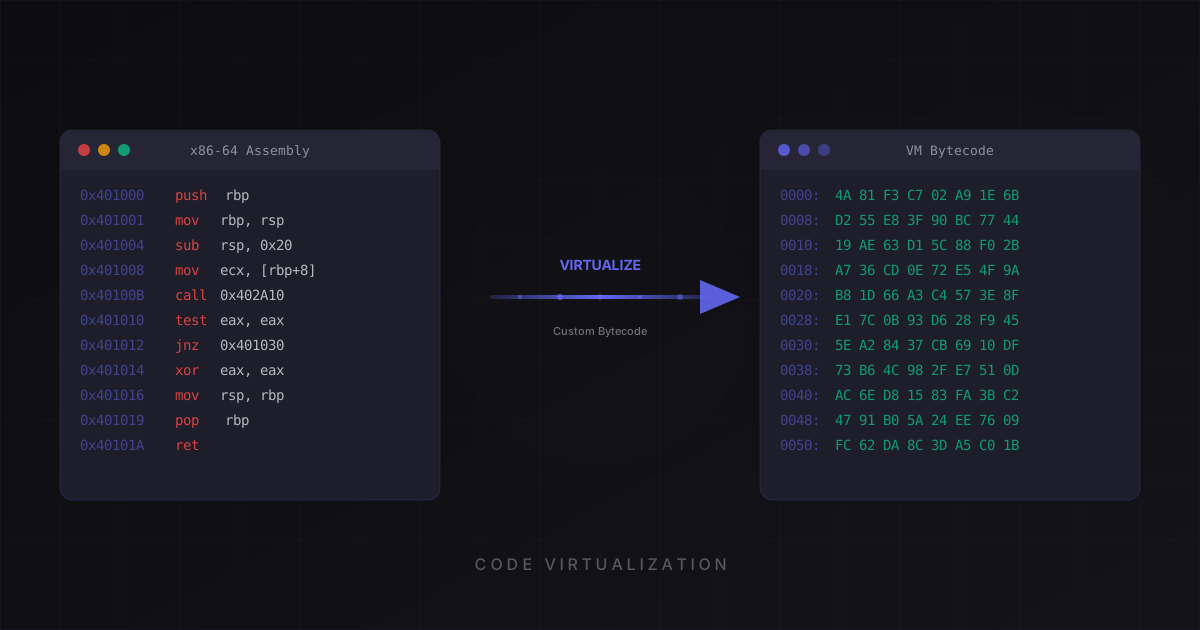
This converts your native code into custom virtual machine bytecode that is fundamentally different from x86-64 instructions.
What This Means for the Godot Ecosystem
Godot is growing fast. 7.1% of Steam games are now made with Godot, up from 0.9% five years ago. Commercial titles like Brotato ($28M+ revenue) and Dome Keeper ($6M) prove there's real money in Godot games.
But Godot has had zero commercial protection tools. Unity has Obfuscator Pro, Anti-Cheat Toolkit, and Mfuscator. Godot had nothing.
ChaosProtector adds a purpose-built, layered post-build workflow for Godot games. It is intended to raise the cost of the documented extraction paths, not guarantee protection against every tool or runtime attack.
Ready to protect your software?
Download ChaosProtector for free and start protecting your binaries in minutes.
Download Free